
From "call-out" to "covered,"
step by step.
FillMyClass replaces the phone tree and group texts with one simple loop: request, notify, accept. Here's exactly what that looks like for your teachers, your subs, and your office.
A teacher requests coverage
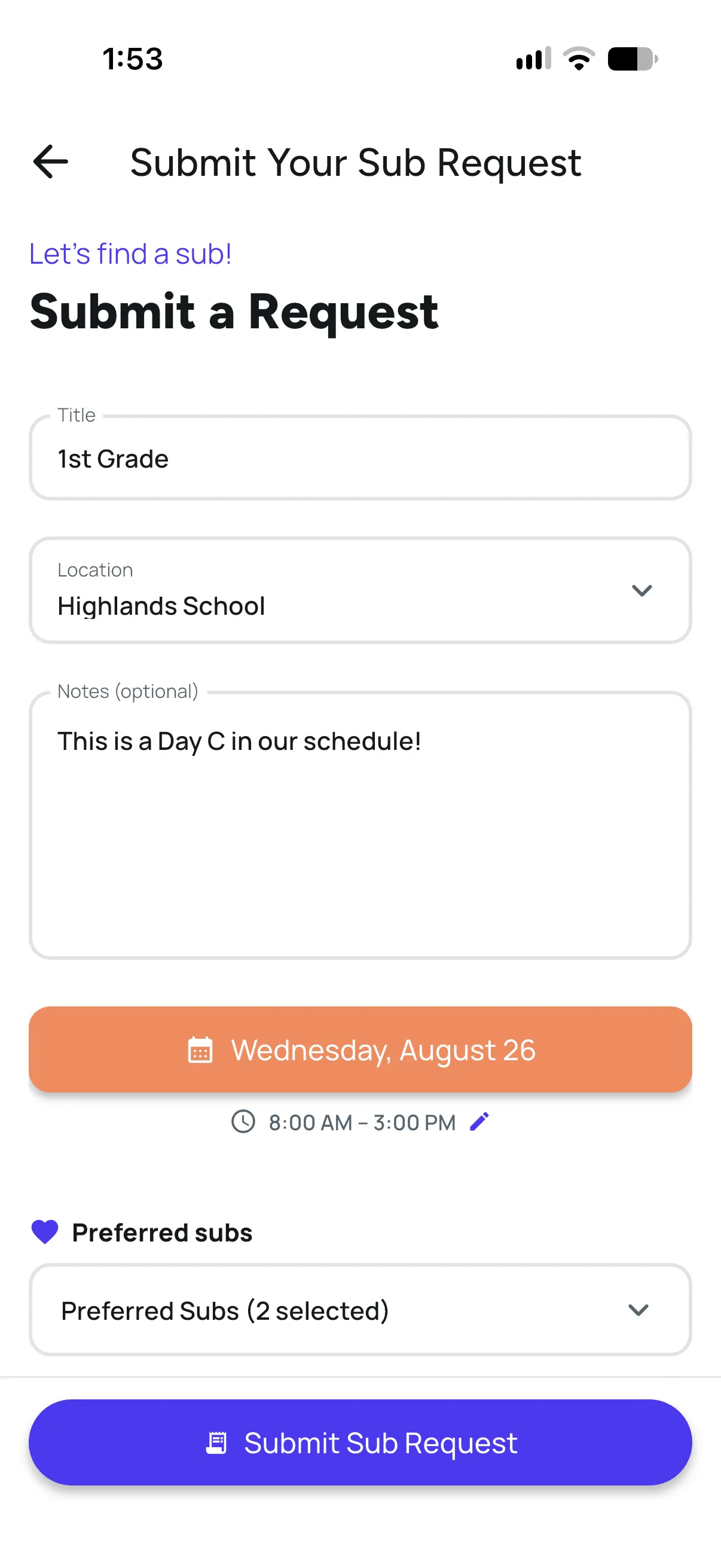
Class, lesson plans, and notes entered in under 30 seconds from the app. Teachers can list preferred subs to notify first.
The office can also submit a request on a teacher's behalf when the call comes in by phone.
Your sub pool is notified instantly
FillMyClass checks your sub pool against availability and days off, then alerts the appropriate substitutes.
Those are the people you already know and trust - your retired teachers, parents, and regulars - never strangers from a staffing pool. They're notified through the channels they choose: push, email, or text.
Preferred subs see the job first for a window you control; then it opens to the full qualified pool automatically.
The first qualified sub is confirmed
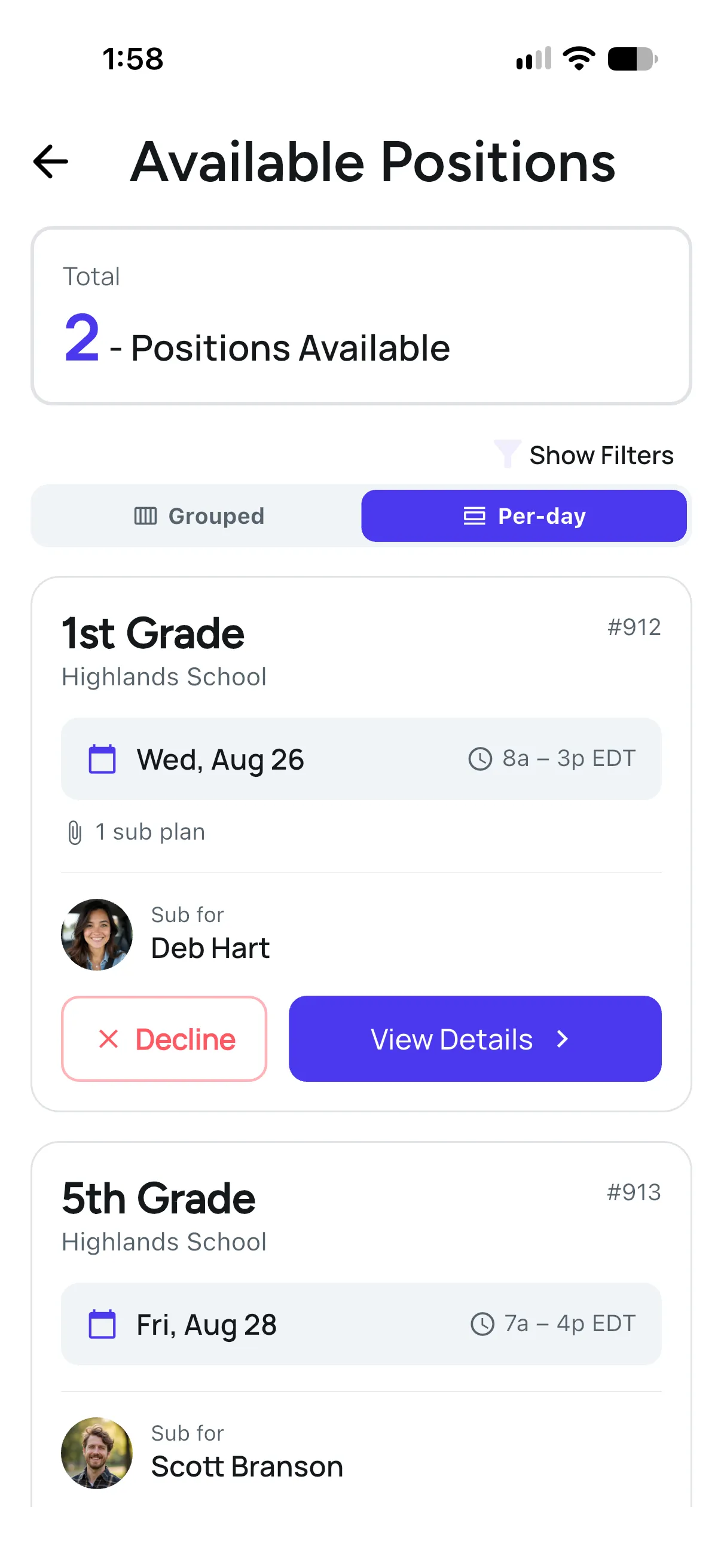
Subs accept in the app. No phone tag. No "did anyone reply to the group text?" The first qualified sub to accept gets the job.
Reminders go out automatically, so a job accepted on Tuesday isn't forgotten by Friday.
The office sees the whole day
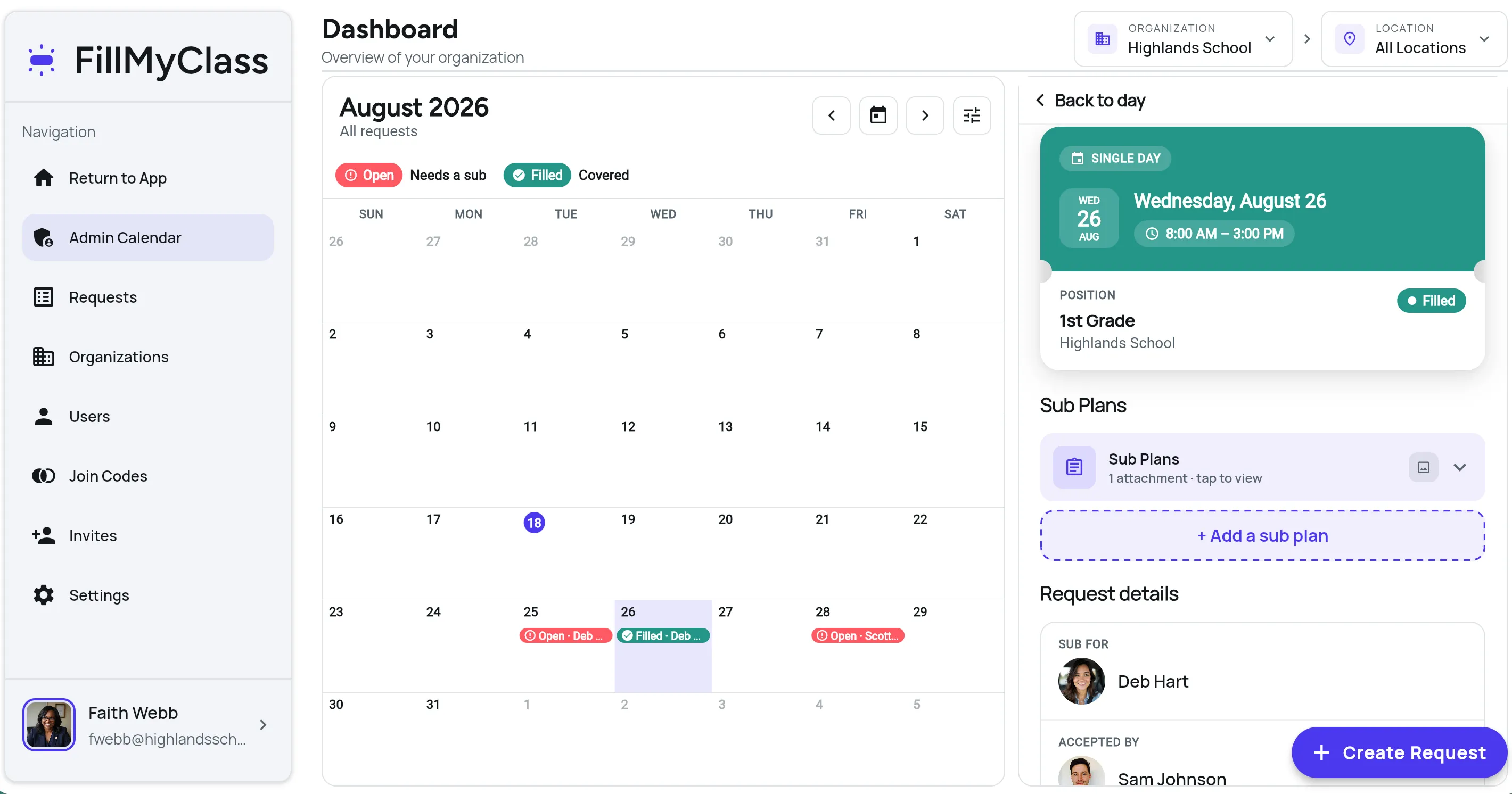
Before the first bell, the dashboard shows who's out, who's covering, and what still needs attention - across one campus or several. No whiteboard, no sticky notes, no guessing.
You stay in control of the pool
FillMyClass doesn't supply substitutes. Your school decides who's in your pool.
Your pool, your call
Invite subs by email or with a school join code. Retired teachers, parents, former staff, or anyone your school trusts.
Request on a teacher's behalf
When a teacher calls in at 5:45, the office can post the request for them in seconds.
Role-based access
Admins, teachers, and subs each see only what they need. Works across multi-school organizations: separate divisions, networks, and districts.
Sub plans, delivered
Plans and notes attached to a request reach the confirmed sub. No printing, no "check the folder on my desk."
Simple enough for your least-technical sub
Teachers and subs live in the iOS and Android app; the office also gets a web dashboard. Nothing to install on school computers.


Live in days, not semesters
We set up your school; you invite your staff and subs with a join code or email. Teachers can request coverage the very same day. No IT project, no integration checklist, no implementation fee.
You talk to the person who built it
FillMyClass was built inside a school, by the person who ran its technology. When you have a question or need support, you're talking to the founder.
Before you book a demo
How does “preferred subs” work?
Can teachers share sub plans through FillMyClass?
How do subs receive notifications?
Do we need IT support to roll this out?
More questions? Read the full FAQ →
See it with your school's workflow.
A 30-minute walkthrough tailored to how your school fills coverage today.